This is where you reach us, and where we reach you, Agent Mail, your direct line and office hours, and Partner Chats for anything worth talking through live.
Click into Agent Mail and you'll land on your Inbox. From here you can see Sent Box, Trash, and any Folders you've created to keep things organized. This is where you'll find anything from us, notifications about your earning statement, and any back-and-forth correspondence with your PSM, all in one secure place.
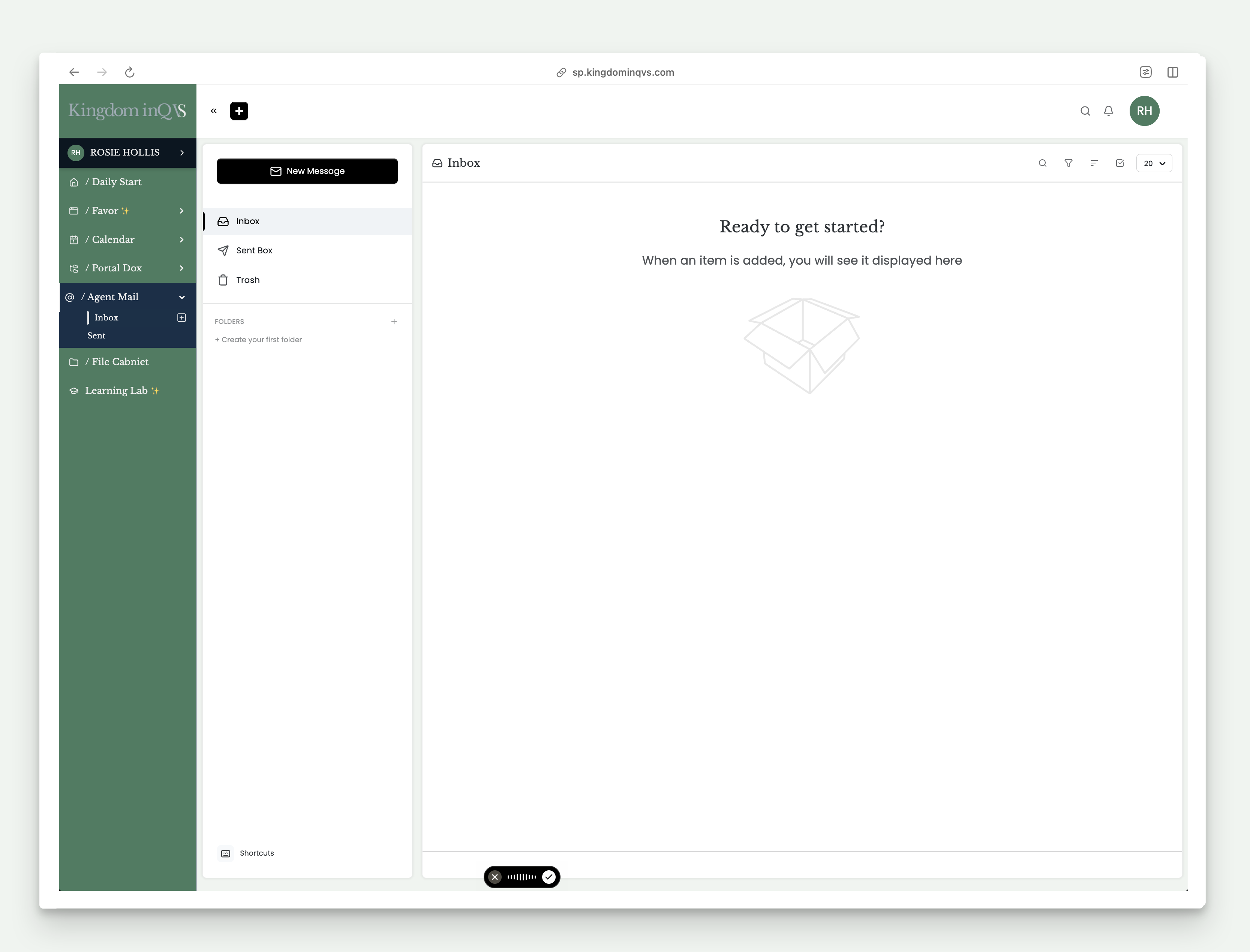
To start a new message, click New Message inside Agent Mail, or use the + icon in your top navigation for a quicker path, both open the same compose window.
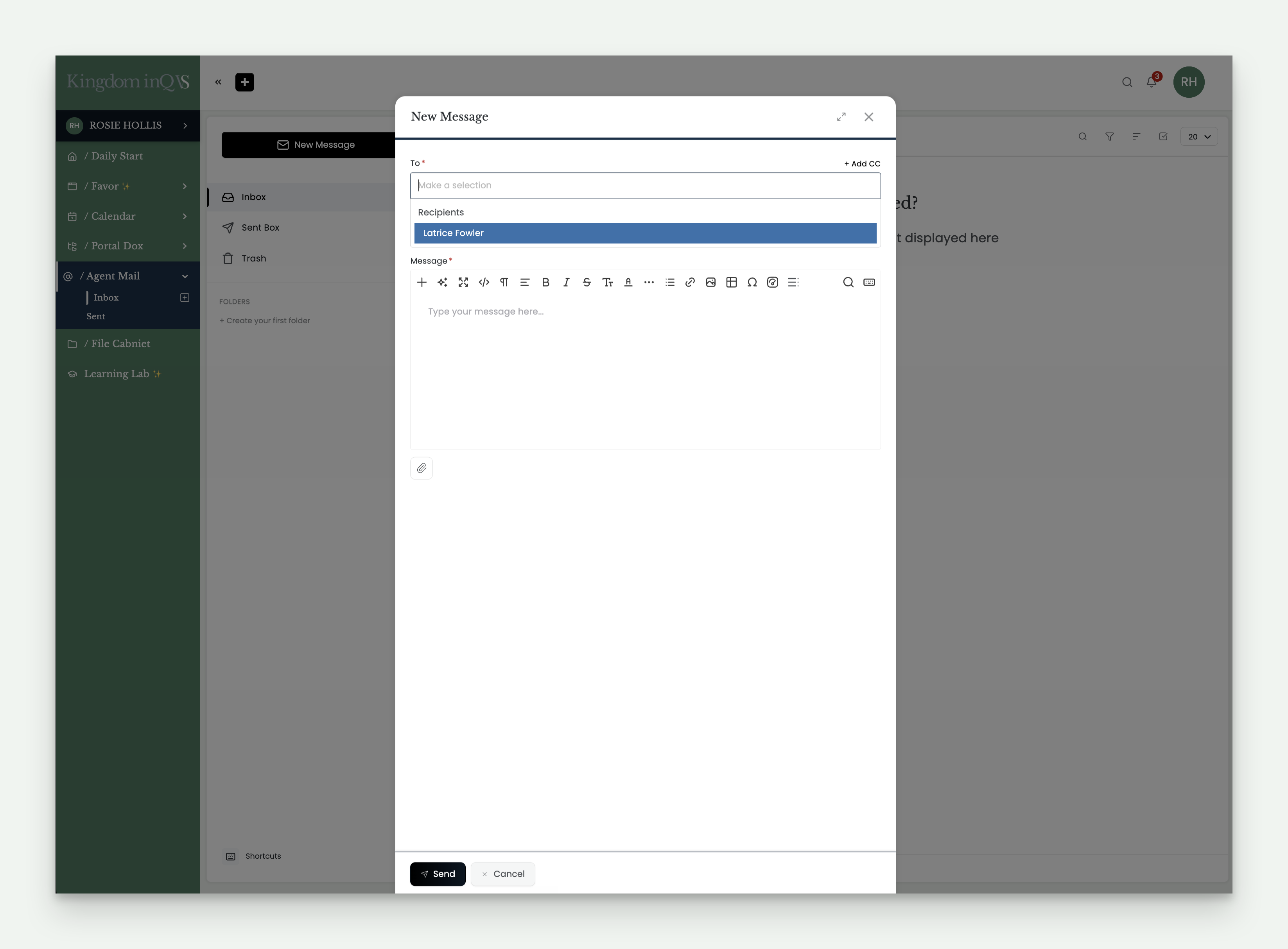
A few things worth knowing:
- Trash clears automatically after 30 days. Once something's in there, treat it as gone, so it's worth a second look before deleting anything you might need later.
- You can create your own folders to keep messages organized.
- A Shortcuts link at the bottom of Agent Mail shows keyboard shortcuts for common actions, like composing or replying.
On mobile, Agent Mail works the same way, just reached through your hamburger menu instead of sitting in the always-visible left-side menu.
Scroll down on your Daily Dashboard and you'll find your PSM's name, direct line, and office hours, all times CST. Outside office hours, leave a message and we'll respond promptly during business hours.
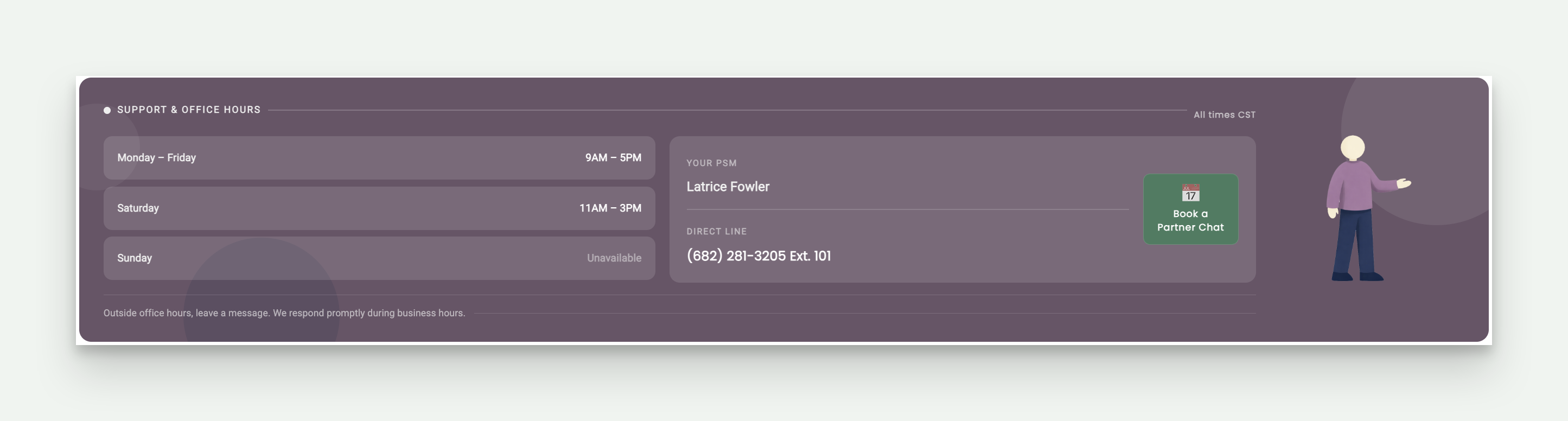
Next to your PSM's contact info, you'll find a Book a Partner Chat button. Partner Chats are bookable one-on-one video sessions, dedicated time to talk through questions, review something together, or just get on the same page, whenever a quick message or call isn't quite enough.
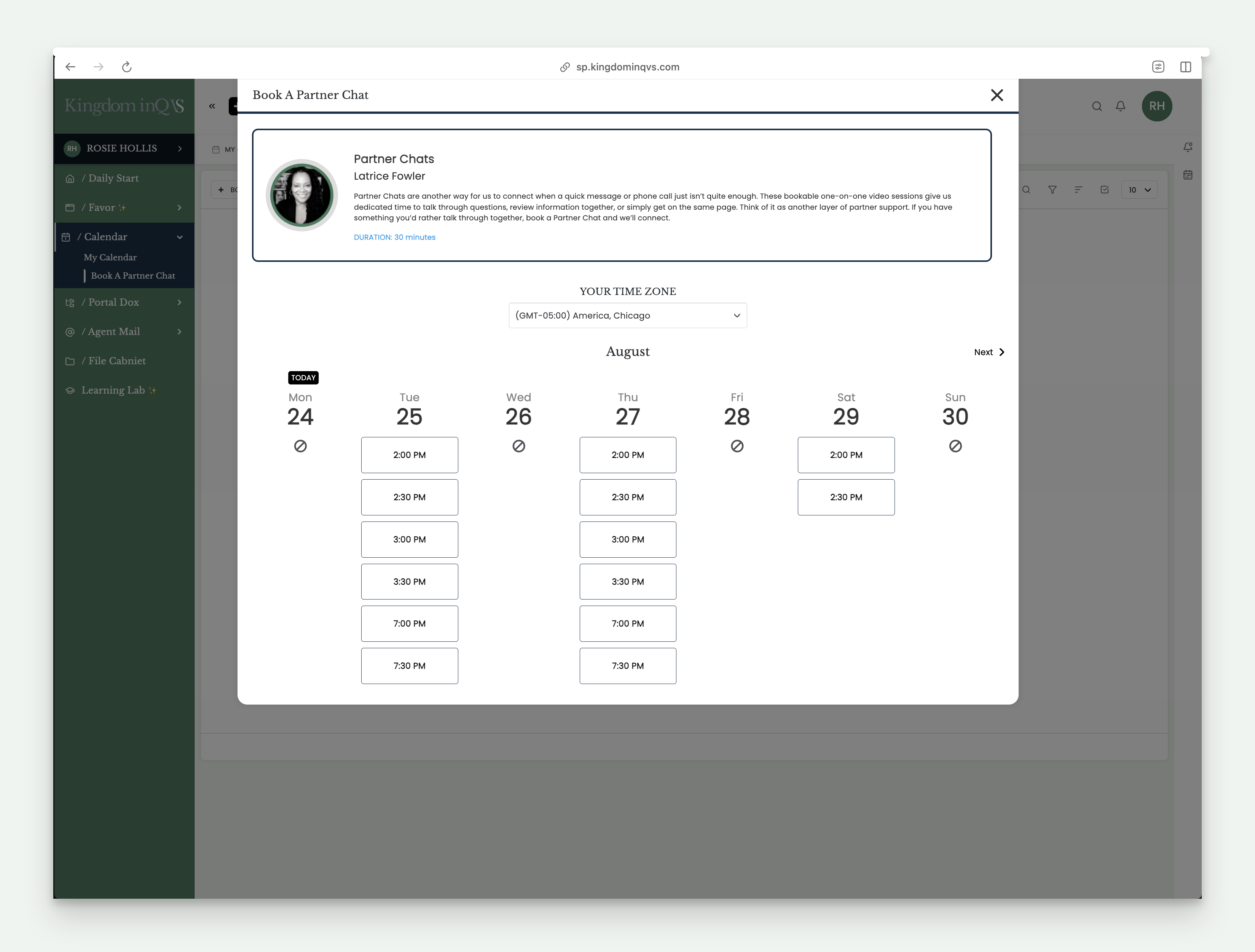
Select your time zone, choose an available day and time, and you're booked. You'll get confirmation both inside your portal and in your external email, so you'll always know it's on the calendar.
A quick note, you can also reach Partner Chats through Calendar in your left-side menu, under My Calendar and Book a Partner Chat, same booking window either way.