Keep Your Setup Running Smoothly
If something isn't working right, find the section below that matches what you're experiencing, or scan through the whole list if you're not sure where the issue is coming from.
Before troubleshooting anything else, it helps to confirm your setup still meets the baseline you were scanned against during registration. As a quick refresher, that means an Intel Core i5 sixth generation or newer running at 2.4 GHz or higher, or an AMD Ryzen 5 or better, at least 8GB of RAM, and a minimum of 20GB of free disk space with 60GB of total capacity.
You'll be asked to complete a PC Scan again each time you certify for a new client, so keeping your system at or above this baseline saves you from surprises later. Mac systems and Chromebooks can't be used for servicing on this platform.
A hardwired Ethernet connection is required. Wireless isn't permitted, even if your Wi-Fi feels reliable. If your workstation is far from your router, a longer Ethernet cable is usually the simplest fix, they're inexpensive and widely available.
Download speeds should be at least 25 Mbps and upload at least 15 Mbps. If you're experiencing drops or slow connections, check the physical cable connection first, then contact your internet provider if the issue persists.
A wired USB headset is required for servicing. If your headset isn't being recognized, start by unplugging and reconnecting it directly into your computer rather than through a hub or dock.
Confirm it's selected as the default audio device in your Windows sound settings. If sound cuts in and out, it's often a loose connection rather than a hardware failure.
Dual monitors are required, with a minimum resolution of 1280 by 1024. If a second monitor isn't being detected, check that both cables are fully seated, then check your Windows display settings to confirm both monitors are recognized and extended, not duplicated.
If you're having trouble logging in or a page isn't loading correctly, clear your browser's cookies and cache first. This resolves the majority of access issues.
If that doesn't work, try closing and reopening your browser completely. Restarting your computer should be your last resort, not your first step, since it takes longer and usually isn't necessary.
Who you reach out to depends on where you are.
If you're in certification, start with your instructor or team lead, especially for class access issues or trouble logging into a client system during certification.
If you're actively servicing, start with your team lead if something is blocking you mid shift.
Ava, the Arise Virtual Assistant, is available regardless of phase for platform level or client system troubleshooting you can resolve in the moment. You'll find her in the lower right corner of the Arise platform.

Look for Ava here.
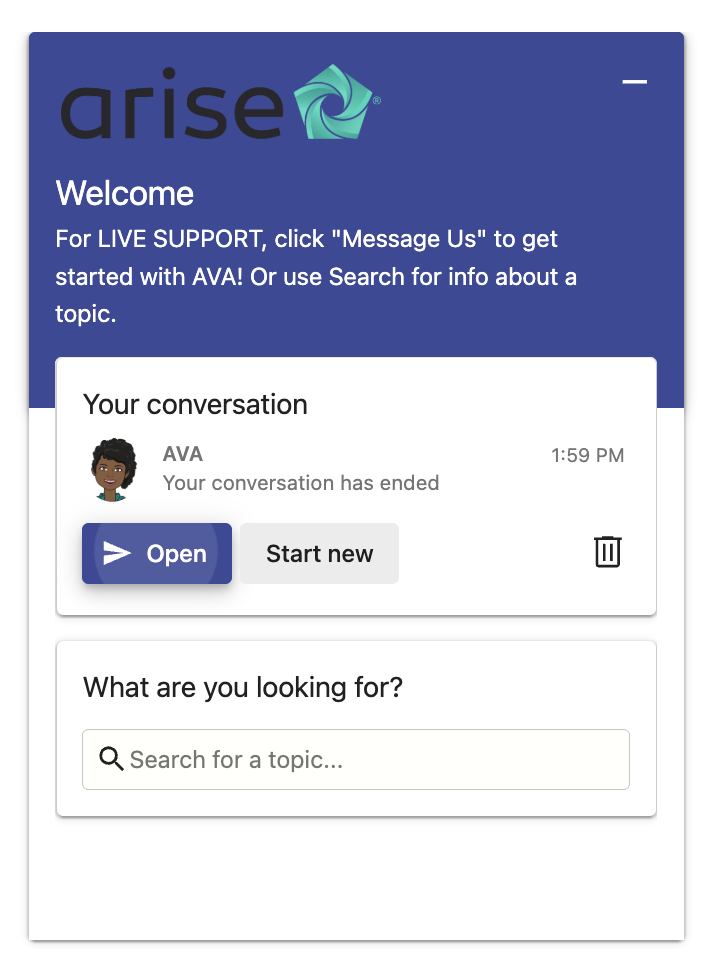
Clicking through opens live support.
Your Partner Success Manager (PSM) is also available anytime, especially when Ava can't resolve the issue, when you need advocacy, or when you're not sure who else to reach out to.
Keeping your system well maintained goes a long way toward avoiding issues altogether.
Most clients are set up to expect the security software that comes built into Windows, so unless you're told otherwise, that's your best bet. Just make sure it's running scans regularly and Windows itself stays updated.
Periodically check your available storage space, and restart your computer every so often even when nothing seems wrong, it clears out background processes that can slow things down over time.